
PyTorch toolbox to work with spherical surfaces.
Note
Click here to download the full example code
Spherical augmentations
Credit: C Ambroise
A simple example on how to use augmentations in the spherical domain.
import os
import numpy as np
import matplotlib.pyplot as plt
from mpl_toolkits.mplot3d import axes3d
from surfify.utils import icosahedron, neighbors
from surfify.plotting import plot_trisurf
from surfify.augmentation import SphericalRandomRotation, SphericalRandomCut

coords, triangles = icosahedron(order=3)
neighs = neighbors(coords, triangles, direct_neighbor=True)
print(coords.shape)
print(triangles.shape)
Out:
(642, 3)
(1280, 3)
Random cuts
Display random cut outputs with different parameters.
tri_texture = np.array([[1, 1]]*len(coords))
augmentations = []
print("initializing random cut augmentations...")
for idx in range(5):
    aug = SphericalRandomCut(
        coords, triangles, neighs=neighs, patch_size=(4 - idx),
        n_patches=(idx + 1))
    augmentations.append(aug)

fig, ax = plt.subplots(2, 3, subplot_kw={
        "projection": "3d", "aspect": "auto"}, figsize=(10, 10))
colorbar = False
plot_trisurf(coords, triangles, tri_texture[:, 0], fig=fig, ax=ax[0, 0],
             alpha=0.3, colorbar=colorbar, edgecolors="white")
for idx in range(5):
    if idx == 4:
        colorbar = True
    augmented_texture = augmentations[idx](tri_texture)
    plot_trisurf(coords, triangles, augmented_texture[:, 0],
                 ax=ax[(idx + 1) // 3, (idx + 1) % 3], fig=fig,
                 alpha=0.3, colorbar=colorbar, edgecolors="white")
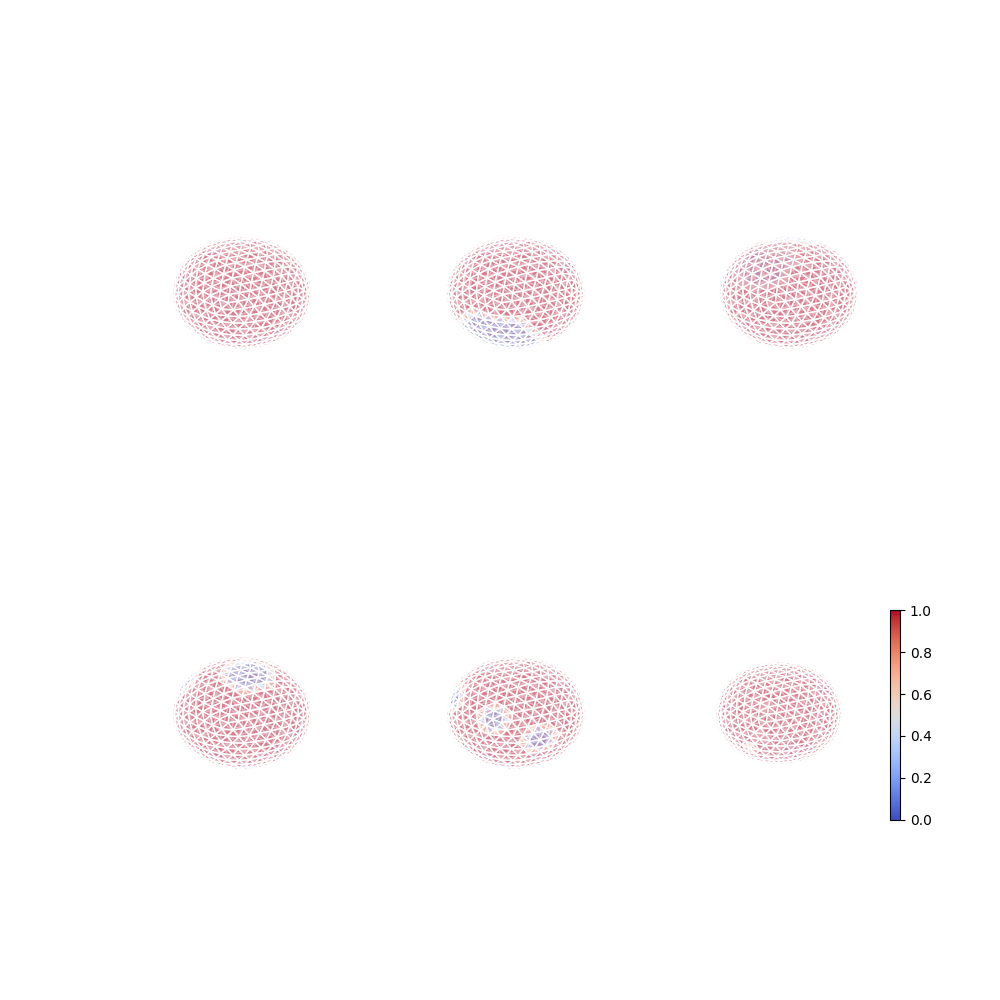
Out:
initializing random cut augmentations...
Rotation
Display 90° rotations of a texture on the icosahedron following the x axis (green).
tri_texture = np.array([[1, 1]] + [[0, 0]] * (len(coords) - 1))
rotated_coords = []
augmentations = []
print("Initializing random rotation augmentations...")
for idx, angle in enumerate(range(90, 271, 90)):
    aug = SphericalRandomRotation(coords, triangles, angles=(angle, 0, 0))
    augmentations.append(aug)

# We also set the vertices neighbouring vertex 0 to 1
tri_texture[neighs[0]] = [1, 1]
fig, ax = plt.subplots(2, 2, subplot_kw={
        "projection": "3d", "aspect": "auto"}, figsize=(10, 10))
ax[0, 0].plot([0, 0], [0, 0], [-1, 1], c="red")
ax[0, 0].plot([0, 0], [-1, 1], [0, 0], c="blue")
ax[0, 0].plot([-1, 1], [0, 0], [0, 0], c="green")
colorbar = False
plot_trisurf(coords, triangles, tri_texture[:, 0], fig=fig, ax=ax[0, 0],
             alpha=0.3, colorbar=colorbar, edgecolors="white")
for idx, angle in enumerate(range(90, 271, 90)):
    if idx == 2:
        colorbar = True
    augmented_texture = augmentations[idx](tri_texture)
    ax[(idx + 1) // 2, (idx + 1) % 2].plot([0, 0], [0, 0], [-1, 1], c="red")
    ax[(idx + 1) // 2, (idx + 1) % 2].plot([0, 0], [-1, 1], [0, 0], c="blue")
    ax[(idx + 1) // 2, (idx + 1) % 2].plot([-1, 1], [0, 0], [0, 0], c="green")
    print("Angle rotation {}: {}".format(idx, augmentations[idx].angles))
    plot_trisurf(coords, triangles, augmented_texture[:, 0],
                 ax=ax[(idx + 1) // 2, (idx + 1) % 2], fig=fig,
                 colorbar=colorbar, alpha=0.3, edgecolors="white")

plt.show()
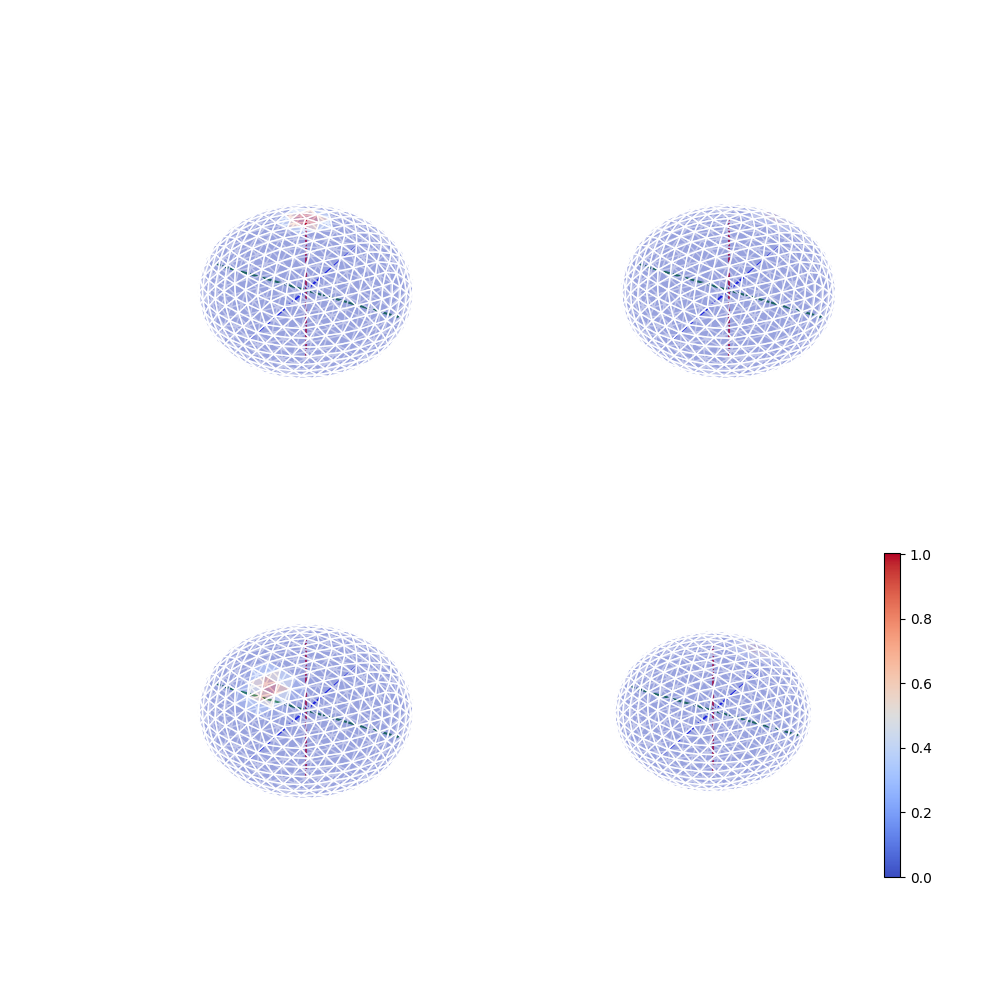
Out:
Initializing random rotation augmentations...
Angle rotation 0: [-58.82366341619726, 0.0, 0.0]
Angle rotation 1: [41.70603529879793, 0.0, 0.0]
Angle rotation 2: [-67.70918810170554, 0.0, 0.0]
Total running time of the script: ( 0 minutes 2.606 seconds)
Follow us